Using a CSS to reduce your CPC

Optimizing cost per click (CPC) is an essential strategy for maximizing the return on investment of your Shopping campaigns. One effective way to reduce your CPC is to use a CSS (Comparison Shopping Service).
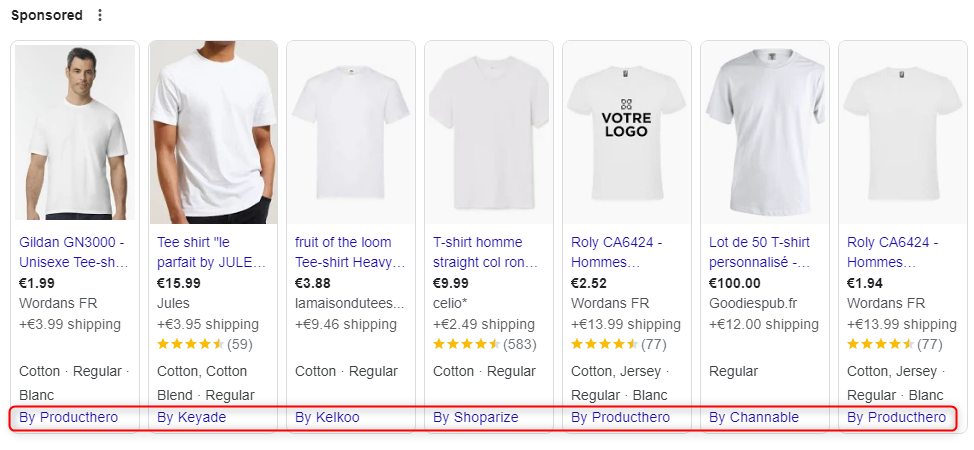
It is a price comparison service that can place product ads in Google Shopping search results.
Google Shopping ad placements were used EXCLUSIVELY by Google until 2017.
The European Commission declares an abuse of a dominant position in relation to price comparison sites, resulting in an obligation to open up to competition.
Price comparison services are then allowed to publish offers on Google Shopping alongside Google. Each CSS is free to apply its own pricing policy.
The European Commission requires Google Shopping to be profitable without external support in EEA countries where Shopping ads are available. Currently, this profitability is ensured by a fixed percentage deducted from the bids placed by each merchant. This amount is included in the CPC paid by the merchant and is only charged when a user clicks on one of the merchant’s ads.
Google’s CSS applies a fee of 20% to the CPC as its remuneration.
Choosing a CSS that costs less than Google’s therefore reduces the CPC of your products
We strongly recommend using the Feed Price CSS, available across all European countries, offering premium support and comprehensive feed expertise.
Client case study: Reduce CPC by 15% with the Feed Price CSS
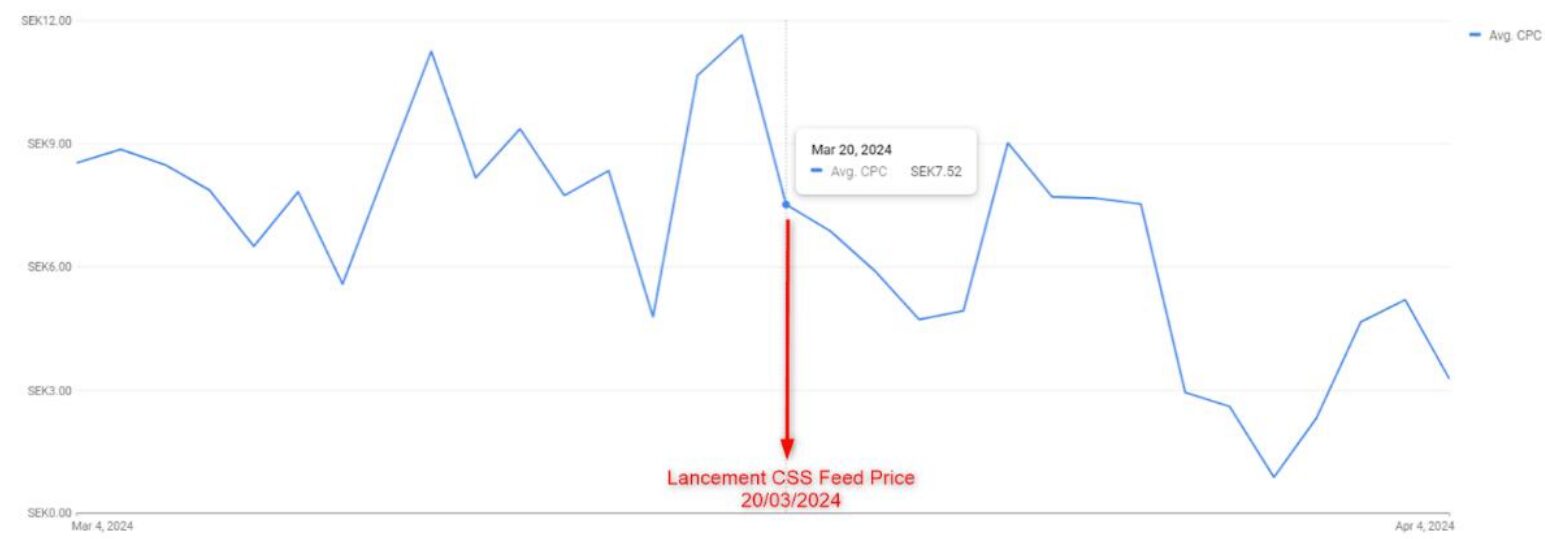
Decrease in average CPC after switching, by country:
- Sweden: – 28.67%
- Norway: – 13.70%
- Denmark: – 4.70%
- Finland: – 19.98%
How do you join a third-party CSS?
By default, when you create your Google Merchant Center, the default CSS is Google’s.
Joining a third-party CSS is quick and easy. The CSS submits the switch request through a dedicated platform, and all you need to do is accept the request from your GMC notifications. The CSS change takes effect within minutes.

To contact the Feed Price CSS and instantly reduce your CPC, click here.